How to Set Up Email Automations in Sender on MamãoFy
Learn how to set up email automations in Sender: activate ready-made templates (welcome, abandoned cart, launch), customize the copy, and let the sequence run on its own 24/7.

What is an email automation in Sender and how does it work?
An automation is a sequence of emails sent automatically when a specific event occurs, without repeated manual intervention.
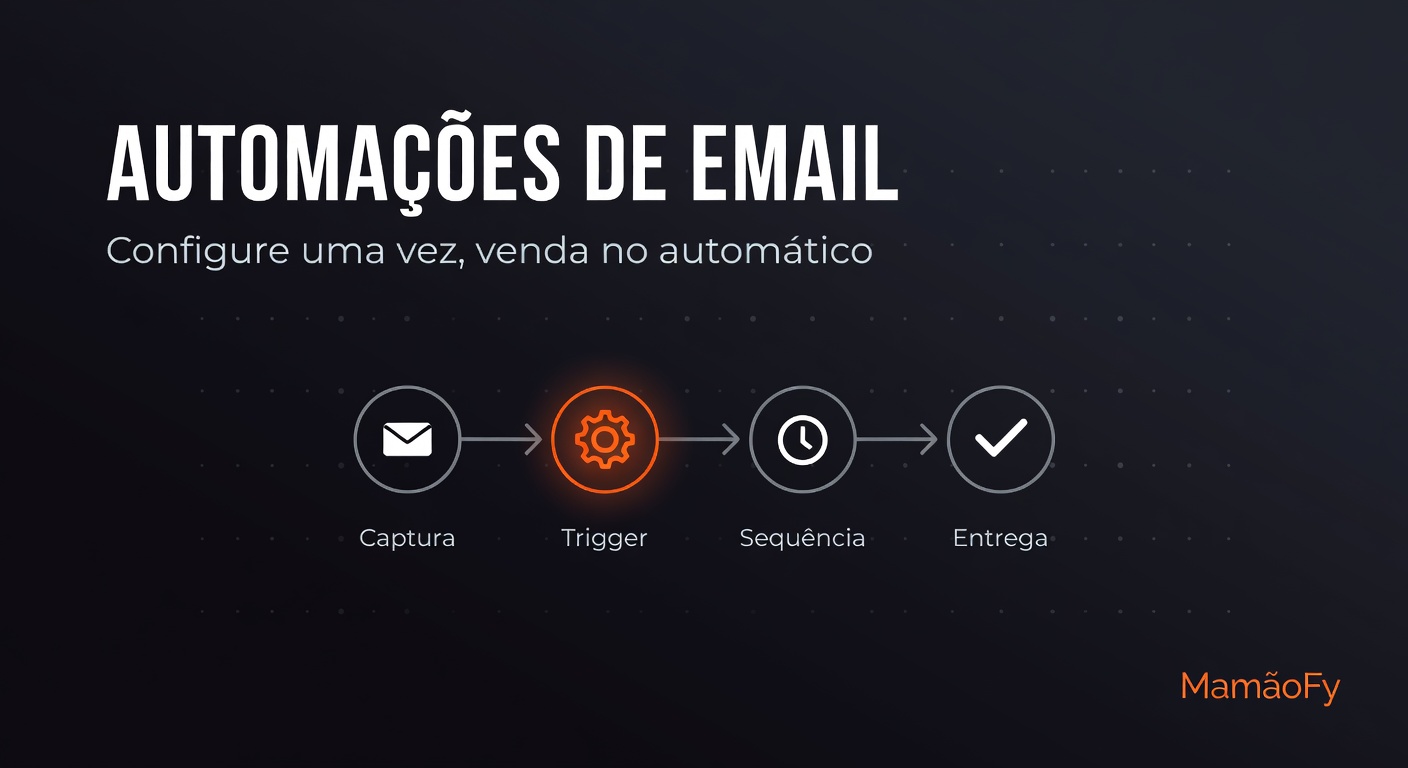
The flow has four stages: contact capture, trigger (the event that starts everything), sequence with defined intervals, and delivery at the right moment.
You set it up once and the automation works continuously for every new contact that fires the trigger.
How to activate a ready-made automation step by step?
Sender offers a gallery of ready-made templates for quick activation.
- Go to Sender → Automations.
- Choose a template from the gallery according to the desired trigger.
- Adjust subjects and copy to match your voice.
- Click Activate.
- The automation starts working immediately.
A welcome automation activated today nurtures all future leads without any new manual work.
What ready-made automations does Sender offer and when to use each one?
The gallery covers the main moments in your audience’s journey with specific templates.
- Welcome for leads (trigger: new lead) — 5-email sequence in the first week.
- Abandoned cart (trigger: purchase not completed) — 3 emails after 1h, 24h and 72h.
- Post-purchase (trigger: purchase confirmed) — welcomes the new student.
- Inactive student (trigger: 7 days without access) — re-engages those who stopped.
- Course completed (trigger: completion) — congratulates and suggests the next step.
- Reactivation (trigger: cancellation) — tries to win them back.
- Launch sequence (scheduled) — 5 emails to build anticipation.
There are also 30-day nurture templates, 1-year anniversary, and post-course upsell.
The abandoned cart automation usually recovers lost sales. The average cart abandonment rate in e-commerce is around 70% (calculated from 50 studies).[[1]](https://baymard.com/lists/cart-abandonment-rate)[[2]](https://www.statista.com/statistics/477804/online-shopping-cart-abandonment-rate-worldwide/?srsltid=AfmBOoohD9QJWqBOwmuA17Z1kimbn9pRy9qX884Kzzr0GnlkKBN0fheI)
How are the emails personalized and delivered at the right pace?
Each email uses variables that are filled automatically, such as the contact’s name and the producer’s name.
The pace is controlled by custom intervals on each step of the sequence.
The welcome sequence, for example, sends the first email at signup and the following ones after 24h, 72h, 5 days and 7 days.
Delivery is tracked with open, click, and link-tracking metrics so you can make adjustments.
How do I create my own automation or template from scratch?
Create custom sequences in Sender → Sequences, defining steps and intervals.
Reuse layouts in Sender → My Templates with the visual editor and real-time preview.
This way you combine the speed of ready-made templates with total freedom to adapt.
Frequently Asked Questions
Do I need to configure the automation every time a new lead comes in?
No. You configure and activate the automation just once; from then on it runs on its own 24/7, firing the sequence automatically with every new trigger.
Can I edit the emails before activating?
Yes. The copy comes pre-written, but you can adjust the subjects and content of each email before activating — and you can edit the sequence later whenever you want.
Do the automations also work on WhatsApp?
The ready-made automations in the gallery are email-only. Sender also sends campaigns via WhatsApp, so you can combine both channels in your relationship strategy.
Can I personalize emails with artificial intelligence?
Yes, in bulk campaigns: on plans with MamãoFy.AI, artificial intelligence can personalize the email body for each recipient based on a template. Ready-made automations continue to work normally without any AI.
How do I know if the automation is delivering results?
Track open and click metrics plus link tracking in Sender. With this data you can identify which emails in the sequence convert best and refine the copy based on what actually works.